Computer Systems
Laptop Specification Selection: CPU, RAM, SSD, Display, and Graphics Explained
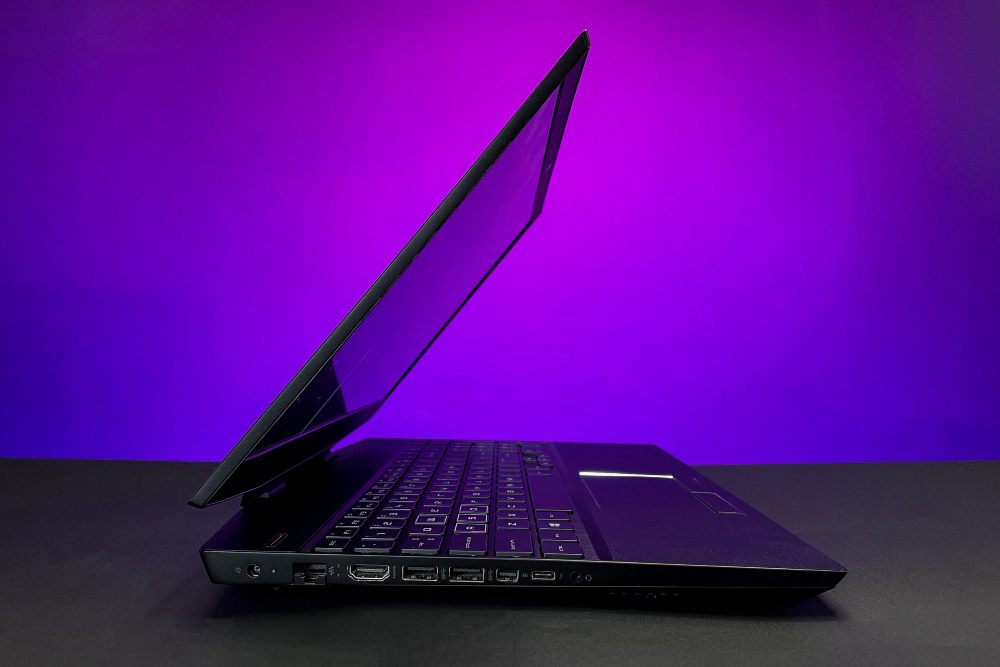
Laptop specifications are useful only when they are connected to workload. A processor name, memory size, storage capacity, or graphics label does not automatically tell whether the laptop is suitable. The system must be assessed as a complete machine: processor, RAM, SSD, display, graphics, cooling, battery, ports, and service condition. Buyers in Malaysia often compare laptops by price and processor first, but many real problems come from weak battery health, limited memory, slow storage, poor cooling, or missing ports.
The main Lenovo laptop Malaysia guide gives the overall model selection framework. This page explains the technical parts behind that decision. The aim is to choose specifications based on actual use rather than buying too little or paying for unused capacity.
Processor and Workload
The processor controls general computing work such as web browsing, office applications, video calls, file compression, accounting software, coding tools, and background services. Entry-level processors can be adequate for simple documents and browsing, but heavy multitasking benefits from stronger processors. Creative software, engineering tools, data processing, and gaming need more sustained processing power.
Processor performance is not only about maximum speed. Thermal design determines how long the processor can maintain performance. A thin laptop may perform well in short bursts but reduce speed during long heavy workloads if cooling is limited. A thicker performance laptop may sustain higher power, but it may be heavier and louder. Selection should reflect whether the user needs short daily tasks or long sessions under load.
RAM and SSD
RAM holds active work. When RAM is insufficient, the system uses storage as temporary memory, which causes slowdown. Many modern workflows include browsers with many tabs, messaging apps, cloud sync, video calls, documents, and antivirus running together. This makes RAM important even for non-technical users. Upgradeable RAM can extend the service life of a laptop, but many thin models have soldered memory that cannot be changed later.
SSD storage affects startup, application launch, file access, and system responsiveness. A fast SSD can make a moderate laptop feel practical. Capacity matters for users storing photos, videos, games, design files, or virtual machines. Business and student users should also keep free space available because a nearly full drive can reduce performance and complicate updates.
Specification Matching Workflow
- List applications: Identify the heaviest software before choosing hardware.
- Check multitasking: Estimate browser tabs, meetings, documents, and background tools.
- Confirm storage: Include operating system, applications, files, and future growth.
- Assess display: Match size, brightness, and resolution to reading or design needs.
- Review cooling: Check whether the laptop can sustain the expected workload.
Display, Graphics, and Ports
The display affects comfort and productivity. A larger screen improves workspace but increases weight. Higher resolution improves detail but may use more battery. Brightness matters in bright rooms. Colour quality matters for photo, video, and design work. Touchscreen and convertible designs help some users but add cost and may increase repair complexity.
Graphics hardware is required for gaming, 3D work, some design software, video acceleration, and external monitor workloads. Integrated graphics are usually enough for documents, browsing, video playback, and normal office use. Dedicated graphics add performance but increase heat, power use, weight, and price. Ports should be checked early: USB-C charging, HDMI, USB-A, card reader, audio jack, and Ethernet may affect daily setup.
Practical Buying Use
A student or office user should prioritize SSD, enough RAM, battery, screen comfort, and keyboard quality. A business user should also check docking, security, warranty, and manageability. A creative user should check display quality, RAM, SSD capacity, graphics, and cooling. A gamer should check graphics power, cooling, refresh rate, and charger capacity. Used laptop buyers should inspect actual condition because a good specification with a weak battery or damaged screen is not a good system. These specification checks should feed back into the broader Lenovo laptop Malaysia model-selection decision.
Specifications should support a clear workflow. Paying for maximum performance is wasteful if the workload is light. Buying a minimum system is also costly if it becomes slow within a short period. Balanced selection is the practical target.
Specification Balance
Balanced specification is usually better than one strong component beside several weak ones. A fast processor with too little RAM will still slow down during multitasking. A large SSD with a dim display may be poor for long reading. A dedicated graphics chip without adequate cooling may throttle under load. Selection should check how the parts work together under the user's normal workload.
Technical FAQ
Is processor speed the most important specification?
No. Processor performance matters, but RAM, SSD, cooling, battery, and display can affect daily usability just as much.
Why does SSD make a laptop feel faster?
SSD storage reads and writes data faster than mechanical drives, so startup, application loading, updates, and file access are more responsive.
Do all users need dedicated graphics?
No. Dedicated graphics are useful for gaming, 3D, editing, and graphics workloads. Normal documents, browsing, and video calls usually work with integrated graphics.
Can RAM always be upgraded later?
No. Some laptops have soldered RAM. Check upgrade access before buying if long-term flexibility is important.